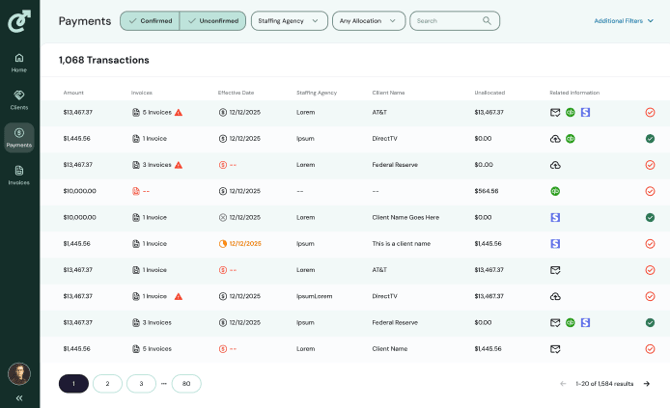
Clicking on the Payments tab of the navigation brings you to a summary view of all transactions (regardless of whether they occur via Stripe) giving you at-a-glance insights into:
- Payment amount
- The number of invoices correlated with the payment
- The effective date
- The agency name (if you have multiple entities)
- The client name
- Whether it was automatically allocated or not by displaying the unallocated amount
- Other related information, like from where the payment data was received
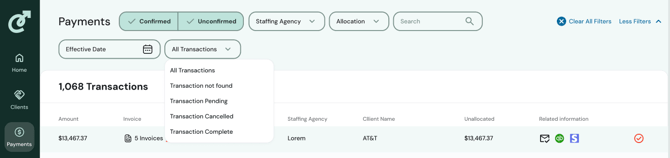
There are a few key ways to filter the data to quickly access the information you need to take action on. Some of the filters include:
-
Whether a payment is confirmed or unconfirmed
- Filtering by Staffing Agency (only for parent companies)
- By Allocation status (Any Allocation, Unallocated, Fully Allocated)
- Effective Date
- Transactions (All Transactions, Transactions not found, Transactions Pending, Transactions Cancelled, Transactions Complete)