On an unconfirmed transaction, where the payment is not automatically matched, you can merge them into a single transaction. Start by navigating to the 3 dots in the top right of the Transaction. Click to reveal an extended menu. Choose Merge Transaction. 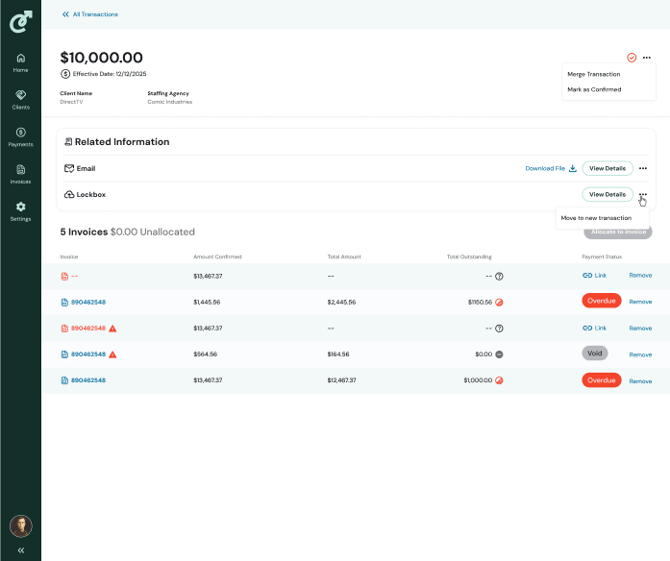
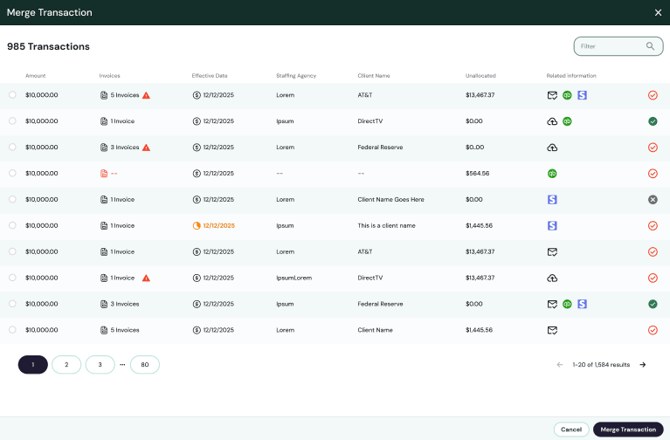
Select the transaction to merge by clicking on the radio button in the left-most column. Then click the Merge button at the bottom right. You will return to the newly merged transaction page, and all related information will be combined.