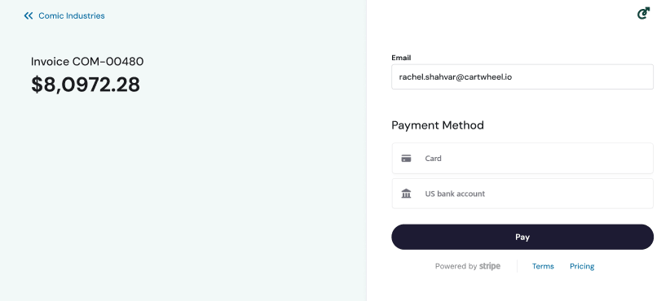
When you're ready to make a payment, you can pay from an individual invoice or from your client dashboard. You can choose to pay a single incoive or multiple invoices. The process for each is detailed below:
Individual Invoices: You have two options, 1) navigate to the invoice detail page by clicking on the “View Invoice” button from your email notification or, 2) by clicking on the individual invoice in the web portal after you have logged in. On the invoice page, in the top-right corner, click on the “Pay Now” button to proceed to the payment screen.
Bulk Pay Invoices: From the client dashboard, select multiple invoices by checking the box, then in the top-right corner, click "Pay Now" to proceed to the payment screen.
Image: Pay from an Invoice
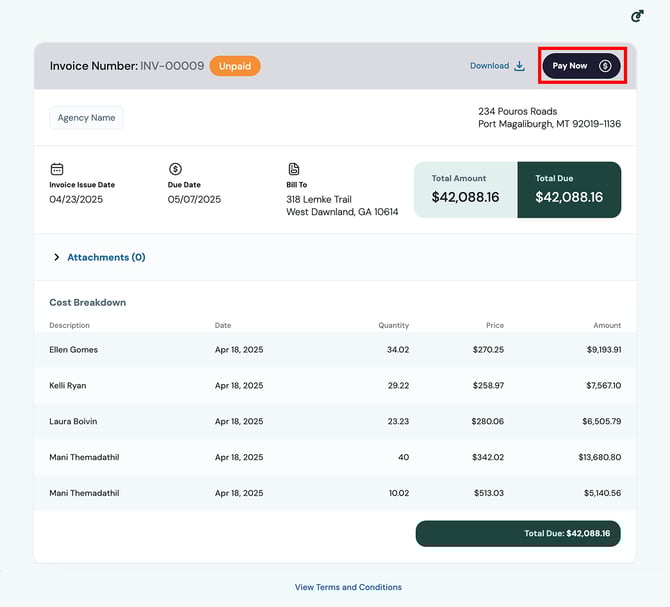
Image: Bulk Pay- Select and Pay Multiple Invoices
.png?width=670&height=409&name=Invoices%20(Selected).png)
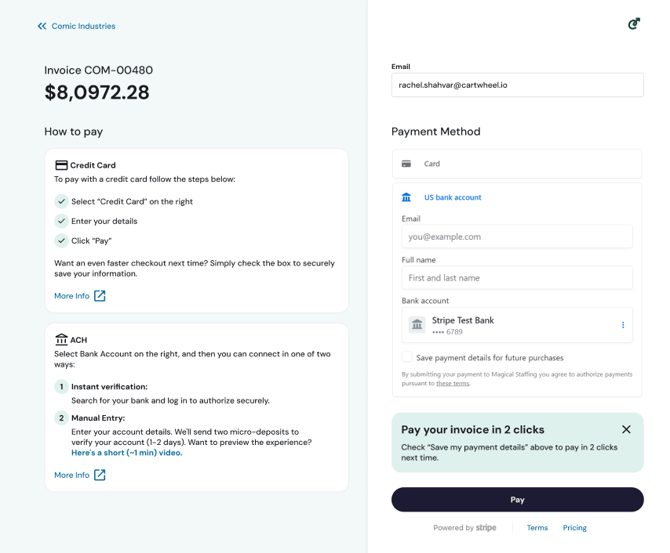
Once you click on the “Pay Now” button you will be redirected to Stripe. From this screen, you will see complete instructions on how to select, enter, and save your payment method for processing now and for 2-click payments in the future. Images below show this for Credit Cards, ACH, and what it looks like once you've securely saved your payment information.
Making a Payment: Selecting ACH
Making a Payment: Selecting Credit Card
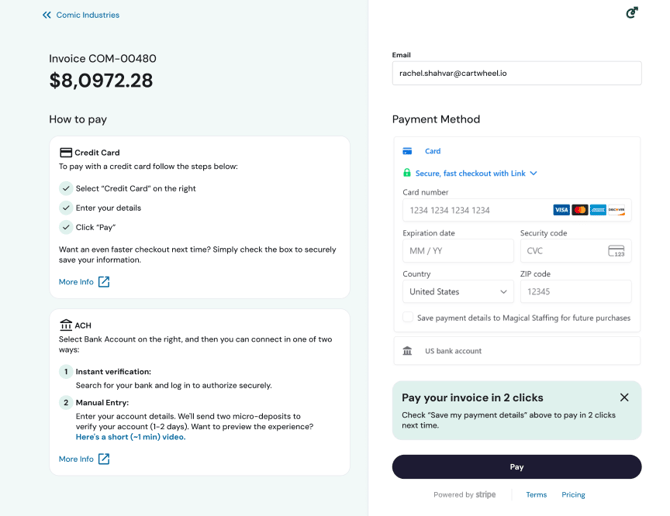
Payment with Save Payment Method